
Microcontrollers play a significant role in our daily lives. In fact, they are very often imbedded in many of the products we use on a daily basis and are completely taken for granted. They are behind the scenes, orchestrating the complexities of using various SENSOR devices such as liquid level sensors, temperature sensors, distance sensors to name only a few, read their respective values and decide when it’s time to power ACTUATORS, which are other devices such as electromagnetic valves, pumps, fans or heating elements until the entire process they were designed for is completed.
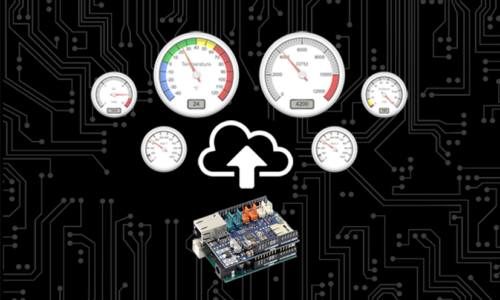
During this course, you will learn how to create a fully interactive webpage dashboard with animated gauges and switches using HTML/CSS/JavaScript as well as AJAX (Asynchronous JavaScript and XML) to display the values of various sensors and remotely control actuators through relays in real time.
We’ll use the Arduino Uno as our programmable microcontroller of choice for this course, as it is highly configurable, inexpensive and offers a great IDE or integrated development environment for learning purposes.
The course also includes some refresher modules on HTML, CSS, JavaScript and C++ to help the beginner level students. We will simplify your learning experience as we supply all the code and make it easy for you to follow step-by-step instructions, as we explain each line of the code. We’ll also encourage and point you to some resources and exercises outside the course to familiarize yourself with some of the required tools, and in no time, you will have a good understanding of the basics.
At the end of this course, our hope is that you’ll have gained a better understanding of the endless possibilities offered when combining micro controllers with sensors, actuators and resulting real time data visualization they offer.
So, we hope you decide to join us on this exciting learning adventure, and I’ll see you in the next lecture.
Features
- Use a microcontroller to visualize multiple sensors data and remotely control switches
- Learn how to read various sensors such as ultrasonic, infrared, temperature and voltage
- Create a professional looking, animated & interactive IoT Dashboards
- Basic refresher courses on html / CSS / JavaScript and C++ for beginners
Target audiences
- Anyone interested in learning to utilize IoT devices
- Electronics enthusiasts
- If you'd like to learn how to remotely operate and monitor devices
- If you'd like to learn how to automate equipment based on sensor data
Requirements
- A basic understanding of electronics
- A computer along with basic computer skills
- Some basic electronic parts are required (covered in lecture 3)
- No paid software required - both Arduino IDE and VS Code editor are free downloads
Curriculum
- 7 Sections
- 30 Lessons
- Lifetime
- Section 1: Introduction5 ItemsSection 1 Intro
- Section 2: Basic Refreshers8 Items
- 2.1Lesson 5: Intro
- 2.2Lesson 6: Review of the Arduino Uno Board5 Minutes
- 2.3Lesson 7: Review of the Arduino Ethernet Shield7 Minutes
- 2.4Lesson 8: What is HTML?13 Minutes
- 2.5Lesson 9: What is CSS?11 Minutes
- 2.6Lesson 10: What is Javascript?8 Minutes
- 2.7Lesson 11: What is C++?14 Minutes
- 2.8Quiz 25 Minutes10 Questions
- Section 3: Mini Web Server5 Items
- Section 4: CSS Toggle Switches & Relay Board7 Items
- 4.1Lesson 16: Intro1 Minute
- 4.2Lesson 17: Adding Toggle Switches (CSS)5 Minutes
- 4.3Lesson 18: Adding Toggle Switches (JavaScript)9 Minutes
- 4.4Lesson 19: Updating the Microcontroller Sketch13 Minutes
- 4.5Lesson 20: Adding the Relay Board11 Minutes
- 4.6Lesson 21: Adding our Actuators7 Minutes
- 4.7Quiz 45 Minutes10 Questions
- Section 5: the Canvas Gauges5 Items
- Section 6: Adding More Sensors & Gauges5 Items
- Section 7: Conclusions and Bonus Lecture1 Item
FAQs
No, although we do go deep on some subjects, we include detailed explanations accompanied by visual aids to make the course beneficial to both knowledgeable and beginner level students
Yes, the code is fully downloadable, and we walk through it line by line in every lecture. As the course progresses, we continuously build upon the code from earlier lessons, enabling you to follow the development process from start to finish. This structured, hands-on approach makes it much easier to understand both the code and the underlying concepts..
Instructor

Each lecture is very professionally prepared. He is very clear with the explanations, and they go step by step. I really like the labs and wiring demos as they are easy to follow. Lots of ressources and free documentation as well. Most definitely worth the price.
Paul Thompson
Each lecture is very professionally prepared. He is very clear with the explanations, and they go step by step. I really like the labs and wiring demos as they are easy to follow. Lots of ressources and free documentation as well. Most definitely worth the price.
Paul Thompson